
Campus Management System in India: A Complete Guide for Universities, Colleges and Schools
By Sonet Microsystems
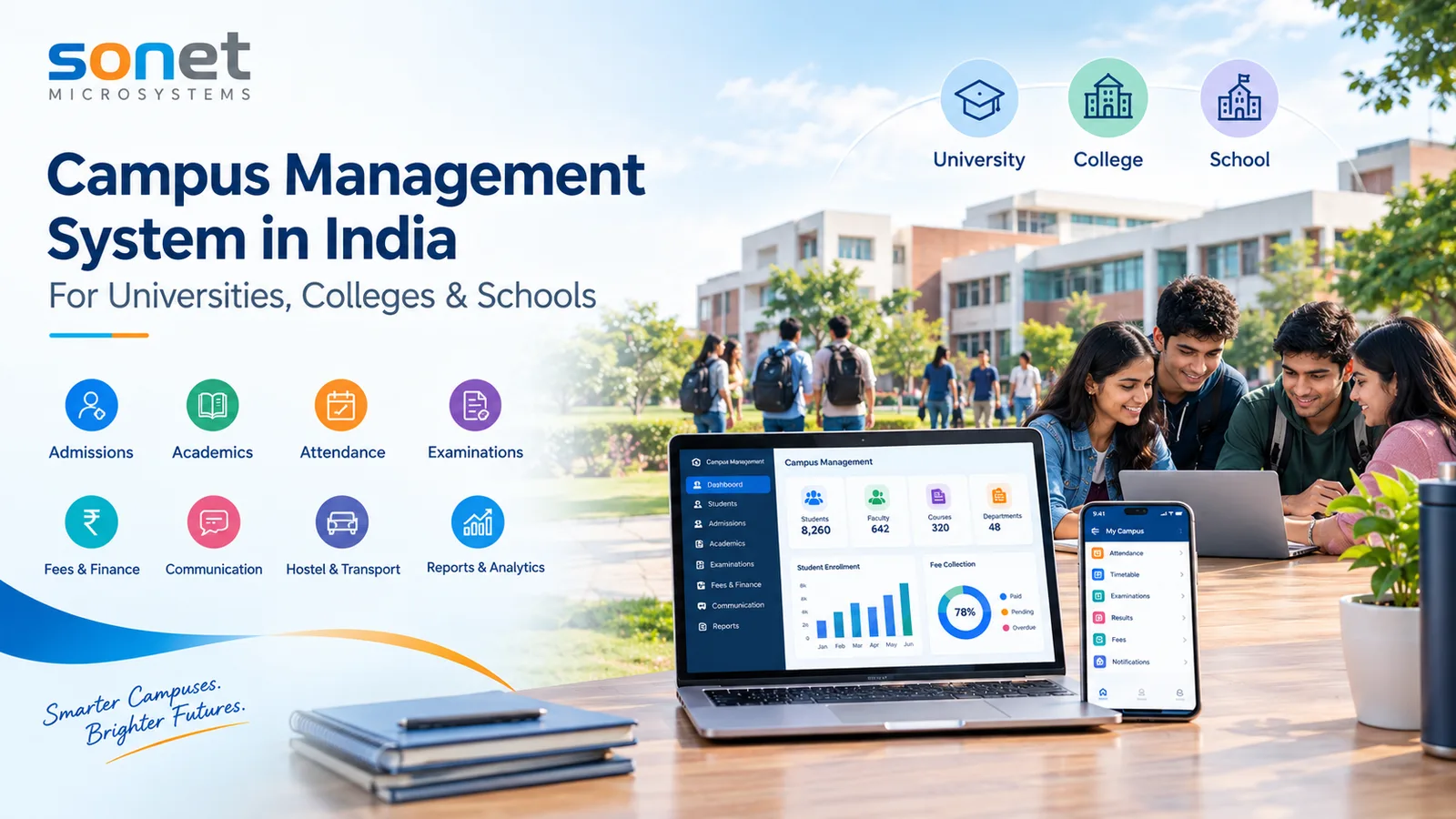
Campus Management System in India: A Complete Guide for Universities, Colleges and Schools
Managing a modern educational institution involves much more than managing students and academic records. Universities, colleges, and schools need to coordinate admissions, academics, examinations, fees, attendance, faculty, communication, hostels, libraries, transport, reports, and many other activities every day.
As institutions grow and become more digitally connected, managing these processes through spreadsheets, disconnected applications, paper records, and manual workflows can become increasingly difficult.
A campus management system (CMS) provides a centralized digital platform that brings these activities together and enables educational institutions to manage their complete academic and administrative operations from a single system.
Whether the campus is a university, college, school, institute, or a group of educational institutions, a well-designed Campus Management System can help create a connected digital ecosystem for students, faculty, administrators, parents, and management.
What is a Campus Management System?
A campus management system is an integrated software platform designed to manage the academic, administrative, financial, and operational activities of an educational institution.
Instead of using separate systems for admissions, student records, fees, attendance, examinations, HR, library, and communication, a campus management system connects these functions through a common platform and centralized database.
A typical CMS may include:
Student Information System
Online Admissions
Academic Management
Course & Curriculum Management
Attendance Management
Examination Management
Results & Grade Management
Fee & Finance Management
Faculty & Staff Management
HR & Payroll
Library Management
Hostel Management
Transport Management
Learning Management
Communication & Notifications
Mobile Applications
Dashboards & Analytics
Document Management
Reports and MIS
Integration APIs
AI-powered services
The exact modules can be configured according to the requirements and structure of the institution.
Why Do Educational Institutions Need a Campus Management System Software?
Educational institutions generate a huge amount of information every day.
For example, a university may manage thousands of students across multiple schools, departments, programs, semesters, and campuses. A college may manage different courses, batches, sections, examinations, and affiliated programs. A school may have boards, streams, classes, sections, students, parents, and teachers.
When these activities are managed manually or through disconnected software, institutions may face:
Duplicate data
Manual data entry
Delayed reports
Difficulty tracking student information
Errors in fee calculations
Complicated examination processes
Poor communication
Limited management visibility
Difficulties integrating different applications
Dependency on spreadsheets and paper records
A Campus Management System brings these processes into one connected ecosystem.
Campus Management System for Different Types of Institutions
One of the most important characteristics of a modern CMS is flexibility.
A university, college, and school do not follow exactly the same academic structure. Therefore, a Campus Management System should not force every institution to follow the same workflow.
1. Campus Management System for Universities
Universities often have complex organizational structures.
A university may have:
University → School → Department → Program → Batch → Semester → Course
For example:
University
→ School of Engineering
→ Department of Computer Science
→ B.Tech Computer Science
→ 2026 Batch
→ Semester 1
→ Courses
A university Campus Management System should therefore support complex academic structures and multiple levels of administration.
Important university CMS capabilities may include:
University-wide student information
School and department management
Program management
Curriculum management
Course management
Credit management
Faculty allocation
Academic planning
Registration
Examination management
Result processing
Degree and certificate management
Convocation management
Research and PhD management
Hostel management
Library management
Finance and fees
HR and payroll
Accreditation and statutory reporting
Multi-campus management
Management dashboards
2. Campus Management System for Colleges
Colleges may have a comparatively simpler structure, but they still manage a large number of academic and administrative processes.
A typical college structure may look like:
College → Department → Program → Batch → Semester → Course
A college CMS can help manage:
Student admissions
Student profiles
Academic records
Course registration
Attendance
Timetable
Internal assessment
Examinations
Results
Fees
Scholarships
Faculty
Library
Hostel
Communication
Certificates
Alumni
Reports and analytics
For colleges affiliated with universities, the system can also help maintain the institution's internal academic and administrative information while supporting required university-related processes and reporting.
3. Campus Management System for Schools
Schools have a different academic structure from universities and colleges.
A typical school structure may be:
School → Board → Stream → Class → Section
For example:
School
→ CBSE
→ Science
→ Class 10
→ Section A
A school-focused CMS can provide:
Student admission
Student information
Parent management
Teacher management
Class and section management
Timetable
Attendance
Homework and assignments
Examination
Report cards
Fees
Transport
Hostel
Library
Communication
SMS/email/app notifications
Parent portal
Student portal
Teacher portal
The system can therefore be configured for the specific requirements of schools rather than attempting to use a university-oriented workflow.
One Platform, Multiple Educational Models
A major advantage of a modern campus management software is the ability to support different institutional structures within the same technology platform.
For example:
Institution | Typical Structure |
|---|---|
University | School → Department → Program → Batch → Semester |
College | Department → Program → Batch → Semester |
School | Board → Stream → Class → Section |
The CMS should allow administrators to configure these structures rather than hard-code a single academic model.
This becomes particularly important for organizations operating multiple institutions or multiple campuses.
Key Modules of a Campus Management System
A comprehensive campus management CRM can consist of multiple integrated modules.
1. Student Information System
The student information system forms the foundation of campus management.
It maintains a centralized student profile containing information such as:
Personal information
Contact details
Academic history
Admission information
Documents
Attendance
Courses
Fees
Examination records
Results
Certificates
Communication history
A single student record can become the foundation for multiple campus processes.
2. Online Admission Management System
Admissions are often one of the first interactions between a student and an institution.
A CMS can digitize the admission lifecycle:
Application → Document Submission → Verification → Merit/Selection → Admission → Enrollment
Features may include:
Online application forms
Application processing
Document upload
Verification
Merit lists
Selection
Admission offers
Fee payment
Enrollment
Student ID generation
This can significantly reduce paperwork and manual data entry.
3. Academic Management
Academic management enables institutions to define and manage:
Programs
Courses
Subjects
Curriculum
Credits
Batches
Semesters
Sections
Faculty allocation
Academic calendars
Course registration
For universities and colleges, the system can support semester-based or other academic structures as required.
4. Attendance Management
Attendance management can be handled digitally through:
Faculty portals
Web applications
Mobile applications
Biometric integration
RFID integration
Other attendance devices
Institutions can monitor attendance at student, class, course, department, or institutional levels.
Automated alerts can also notify students or parents when attendance falls below defined thresholds.
5. Examination Management System
Examination management is one of the most critical components of a Campus Management System.
A comprehensive examination module can manage:
Examination schedules
Examination forms
Student eligibility
Seating plans
Question papers
Internal assessments
Marks entry
Moderation
Result processing
Grade calculation
Grade cards
Transcripts
Certificates
Result publishing
Modern systems can also support both online and offline examinations.
6. Online Examination and Assessment
With the growth of digital education, institutions increasingly require online assessment capabilities.
An integrated CMS can provide:
Online examinations
MCQ/objective questions
Subjective questions
Question banks
Randomized questions
Online evaluation
Automatic scoring
Proctoring
Examination analytics
Online examination functionality can either be part of the CMS or integrated with a dedicated examination platform.
7. Fee and Finance Management
Managing student fees across multiple programs, categories, installments, scholarships, concessions, and payment modes can be complex.
A Campus Management System can automate:
Fee structures
Fee heads
Student invoices
Installments
Online payments
Receipts
Scholarships
Concessions
Refunds
Outstanding balances
Financial reports
Integration with accounting and payment systems can further reduce manual reconciliation.
8. Faculty and Staff Management
Faculty and staff are central to institutional operations.
A CMS can manage:
Employee profiles
Departments
Designations
Joining information
Attendance
Leave
Workload
Course allocation
Payroll integration
Performance information
Documents
For larger institutions, HR and payroll can be integrated with the campus platform.
9. Library Management
A digital library module can manage:
Books
Journals
E-resources
Membership
Issue and return
Reservations
Fines
Digital resources
Library reports
Integration with the student and faculty management software can automate library membership and access.
10. Hostel Management
For residential institutions, hostel management can be integrated with the campus platform.
Features may include:
Hostel setup
Buildings and rooms
Bed allocation
Student allocation
Hostel fees
Attendance
Visitor management
Complaints
Vacating and transfer
Mobile App for Students, Faculty and Parents
A modern campus automation should not be limited to a desktop browser.
Mobile applications can provide access to important information such as:
Students
Attendance
Timetable
Courses
Assignments
Examination
Results
Fees
Notifications
Parents
Attendance
Academic performance
Fee information
Examination results
Notifications
Communication
Faculty
Attendance
Courses
Student information
Marks
Timetable
Notifications
Mobile access makes the campus ecosystem more connected and accessible.
Communication and Notifications
Effective communication is essential for educational institutions.
A CMS can integrate:
SMS
Email
Push notifications
Mobile applications
WhatsApp or other communication channels where supported
Institutions can send automated notifications for:
Attendance
Fee reminders
Examination schedules
Results
Admissions
Events
Important announcements
Management Dashboards and Analytics
A major advantage of digitization is the ability to turn institutional data into useful management information.
Management dashboards can provide information about:
Student strength
Admissions
Attendance
Fees
Examination performance
Faculty workload
Department performance
Enrollment trends
Student progression
Institutional KPIs
Instead of waiting for manually prepared reports, management can access information through dashboards.
AI in Campus Management CRM
Artificial Intelligence is becoming an important component of modern education technology.
AI-enabled Campus Management Systems can support areas such as:
AI-powered student assistance
Intelligent chatbots
Automated communication
Student performance analysis
Learning recommendations
Question generation
Content generation
Examination analytics
Early-warning systems
Predictive institutional analytics
AI should complement institutional processes rather than replace academic or administrative decision-making.
Integration with Other Systems
Educational institutions rarely operate a single software application.
A campus management system should therefore provide APIs and integration capabilities.
Possible integrations include:
ERP and accounting systems
Payment gateways
Biometric devices
Library systems
Examination platforms
Government/education platforms
Identity providers
Single Sign-On
Email and SMS gateways
Mobile applications
A well-designed API architecture can allow institutions to build a broader digital ecosystem around the CMS.
Cloud-Based vs On-Premise Campus Management System
Institutions may have different infrastructure requirements.
Cloud-Based CMS
Cloud deployment can provide:
Anywhere access
Reduced infrastructure management
Easier scalability
Centralized updates
Backup and disaster recovery options
On-Premise CMS
Some institutions may prefer on-premise deployment because of:
Existing infrastructure
Internal IT policies
Data governance requirements
Integration with local systems
Institutional preferences
A flexible Campus Management System can support cloud, on-premise, or hybrid deployment models.
Multi-Campus and Multi-Institution Management
Large educational groups may operate:
Multiple universities
Multiple colleges
Schools
Training institutes
Multiple physical campuses
In such environments, the CMS should support centralized administration while allowing individual institutions to maintain their own operational structures.
For example:
Education Group
→ University A
→ College B
→ School C
→ Institute D
Each institution can maintain its own academic and administrative structure while management can access consolidated information where appropriate.
Data Security and Access Control
Educational institutions handle sensitive information including student records, academic results, financial information, employee information, and documents.
Therefore, security should be an important part of a Campus Management System.
Important capabilities include:
Role-based access control
User authentication
Multi-level authorization
Secure APIs
HTTPS
Audit logs
Database security
Backup and recovery
Document access control
Session management
Data encryption where appropriate
Users should only have access to the information required for their role.
For example, a student should not have access to another student's academic or financial information, while a department administrator may have access to information for their department.
What Should You Look for When Selecting a Campus Management Software?
Before selecting a CMS, institutions should evaluate more than just the number of modules.
Important considerations include:
1. Flexibility
Can the system support your institution's academic structure?
2. Scalability
Can it support growth in students, programs, campuses, and users?
3. Integration
Can it integrate with existing applications?
4. Security
Does it provide appropriate authentication, authorization, auditing, and data protection?
5. User Experience
Is the system easy for students, teachers, administrators, and management to use?
6. Mobile Accessibility
Does it provide mobile applications or responsive access?
7. Reporting
Can management generate the reports required for daily operations and institutional requirements?
8. Customization
Can workflows, forms, rules, and reports be configured according to institutional requirements?
9. Deployment Options
Does it support cloud, on-premise, or hybrid deployment where required?
10. Support and Implementation
Does the technology provider have the experience and support capability required for a long-term institutional implementation?
Campus Management System vs Traditional ERP
A traditional ERP primarily focuses on business processes such as finance, procurement, inventory, and HR.
An education-focused Campus Management System goes further by addressing the unique requirements of educational institutions.
These include:
Admissions
Student lifecycle
Academic management
Curriculum
Course registration
Attendance
Examinations
Results
Grades
Faculty workload
Student communication
Learning
Campus services
Therefore, an education ERP and Campus Management System may overlap significantly, but a CMS is typically designed around the student and academic lifecycle.
The Future of Campus Management in India
The future of campus management is moving toward connected, intelligent, and data-driven institutions.
The next generation of Campus Management Systems is likely to increasingly combine:
Student Information + Academic ERP + LMS + Examination + Mobile + Analytics + AI + Integrations
The objective is not simply to digitize paperwork.
The larger goal is to create a connected digital campus where students, faculty, administrators, parents, and management can access the information and services they need through a common digital ecosystem.
Conclusion
A campus management system can become the digital foundation of a modern educational institution.
Whether the organization is a university, college, school, institute, or multi-campus education group, the right system can connect admissions, academics, students, faculty, examinations, fees, administration, communication, and management analytics in one integrated environment.
The most effective CMS is not necessarily the one with the longest list of features. It is the one that can adapt to the institution's structure, workflows, users, technology environment, and future growth.
For educational institutions in India, a flexible and scalable Campus Management System can provide the foundation for building a truly connected and digitally enabled campus.
From admission to graduation, from classroom to administration, and from student services to management analytics - a modern campus management system can connect the complete institutional journey.
Frequently Asked Questions
What is a Campus Management System?
A Campus Management System is an integrated software platform used to manage the academic, administrative, financial, and operational activities of an educational institution.
Can a Campus Management System be used by universities?
Yes. A CMS can be configured for universities with schools, departments, programs, batches, semesters, courses, and multiple campuses.
Can colleges use the same Campus Management System?
Yes. The system can be configured for college-specific structures such as departments, programs, batches, semesters, and courses.
Can schools use a Campus Management System?
Yes. A CMS can support school structures including boards, streams, classes, sections, students, teachers, and parents.
Is Campus Management System the same as ERP?
They can overlap considerably. An education-focused Campus Management System generally places greater emphasis on the student lifecycle, academics, examinations, learning, and campus operations, while a broader ERP may cover general business functions such as finance, procurement, inventory, and HR.
Can a Campus Management System support multiple campuses?
Yes. A properly designed CMS can support multiple campuses, institutions, schools, departments, and administrative levels from a centralized platform.
Can Campus Management Systems be cloud-based?
Yes. CMS platforms can be deployed in cloud, on-premise, or hybrid environments depending on institutional requirements.
Does a CMS support mobile applications?
Modern CMS platforms can provide mobile applications for students, faculty, parents, and administrators.
Can AI be integrated into a Campus Management System?
Yes. AI can be used for areas such as student assistance, analytics, automated communication, content generation, examination support, and intelligent recommendations.
What is the main benefit of a Campus Management Software?
The primary benefit is the integration of multiple institutional processes into a connected digital platform, reducing fragmented data and enabling students, faculty, administrators, and management to work from a common information ecosystem.
Also available in हिन्दी · ગુજરાતી · मराठी · ਪੰਜਾਬੀ · বাংলা · ଓଡ଼ିଆ · தமிழ் · ಕನ್ನಡ · اردو